How to Activate a Mobile PKI SIM in Oman

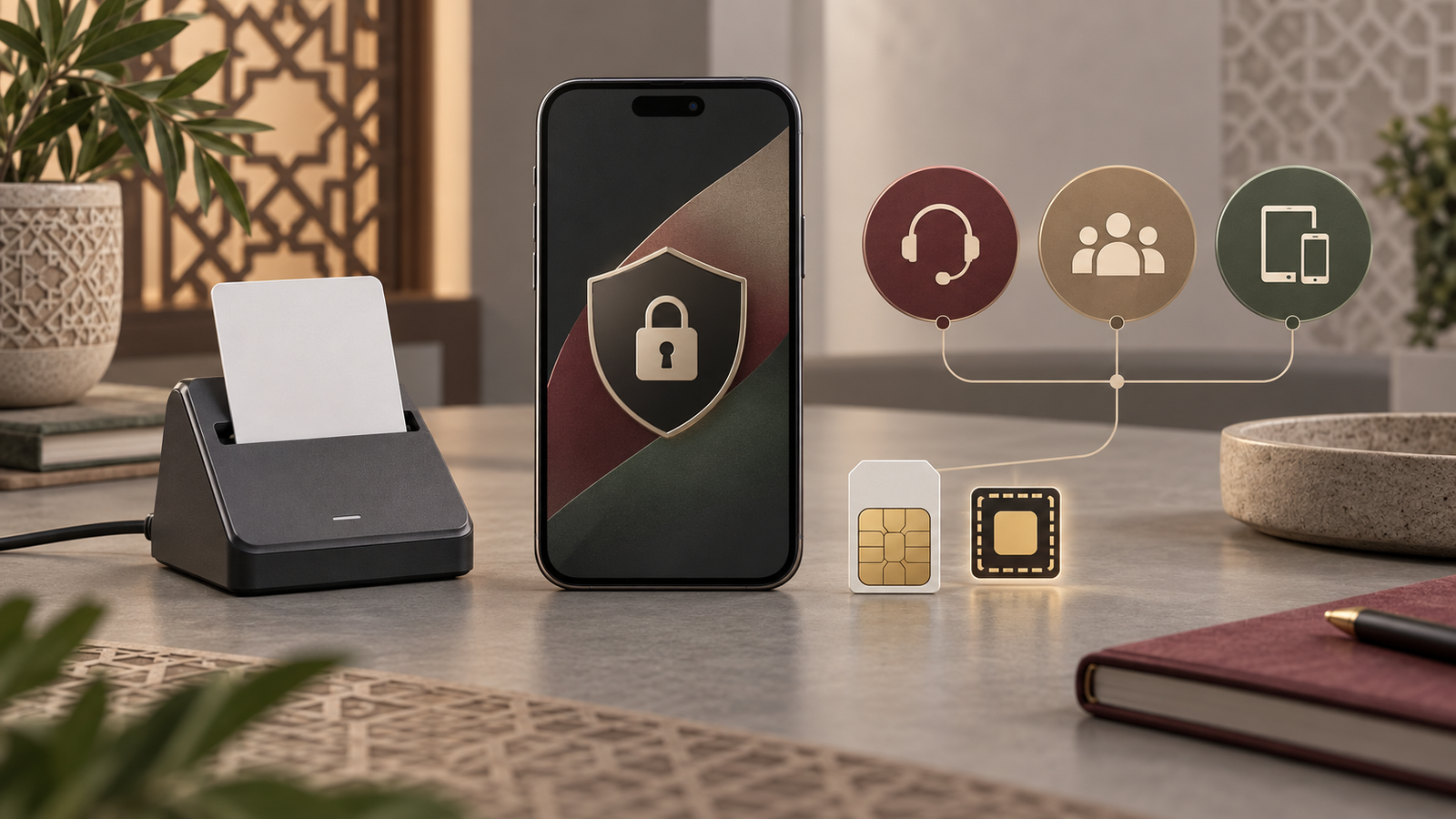
Resident activating mobile PKI authentication on a smartphone in Oman

Mobile PKI lets an eligible Oman mobile line act as a secure identity channel for government and other compatible electronic services. It is not the same as an ordinary SIM activation, an eSIM by itself, or the newer Theqa digital identity app. The correct route depends on your operator, SIM profile, identity record and the service you want to use.

Quick answer

Start with a valid Civil ID or Resident Card and a mobile number registered in your own name. Confirm that your operator supplies a PKI-capable SIM or PKI-enabled eSIM, then use the operator and official TAM/PKI channel to issue or activate the credential. Create and enter the PKI PIN yourself. Test it only on a compatible official service. Omantel and Ooredoo currently advertise PKI-enabled eSIM options; Vodafone’s current terms confirm PKI SIM availability and TAM reactivation/deactivation, but do not publish a complete public activation workflow.

Checked 27 August 2026: Gov.om still documents SIM-based Mobile PKI through TAM, while Oman’s Digital Trust pages describe Theqa as a newer app-based identity that does not require a SIM credential. Both can coexist, but a service may support one method, both, or another login option.

What is Mobile PKI?

PKI means public key infrastructure. In practical terms, Mobile PKI places a protected identity credential in the mobile authentication environment associated with a supported SIM. A compatible service can ask that credential to confirm who is signing in and, where the service supports it, approve an electronic signature.

Mobile PKI does not make every website trustworthy and it does not mean every government transaction accepts the same login. It is an authentication tool. The service provider must be integrated with it, the certificate must be active and the person must approve the request with their private PIN.

Mobile PKI and Theqa are not the same

Theqa is Oman’s app-based digital identity. Its official guidance uses the phone, NFC reading of a Civil ID or Resident Card, facial verification and an app PIN. Oman’s Digital Trust page highlights that Theqa does not require a PKI SIM. Mobile PKI, by contrast, depends on a PKI-capable SIM or PKI-enabled eSIM and the telecom/PKI activation chain.

They overlap in purpose: both can authenticate a user and may support electronic signing when an integrated service allows it. They are not interchangeable in every workflow. If you need the app route, follow our separate guide to activating Theqa digital identity in Oman.

Feature Mobile PKI SIM Ordinary eSIM Theqa app
Main purpose SIM-based identity authentication and supported signing Mobile network service App-based digital identity and supported signing
Credential location PKI-capable SIM/eSIM environment Operator profile; not automatically PKI Theqa app and registered device
Activation Operator plus official PKI/TAM process Operator eSIM issuance and device installation NFC ID reading, facial verification and OTP
Operator dependence Yes Yes Not dependent on a PKI SIM
Device dependence Compatible line/SIM and service eSIM-compatible device Compatible smartphone; NFC is used for registration

Who can activate Mobile PKI?

Current Gov.om guidance describes activation for citizens and residents. The core identity is an active Civil ID or Resident Card. The mobile number must be connected to that identity, and the SIM must support PKI. Operator onboarding can add its own account, device or channel requirements.

No current official source reviewed for this guide establishes one universal public age rule or one identical process across all three operators. A minor, business line, visitor line or number registered under another person should therefore be checked directly with the operator before any PKI request.

What you need before activation

Item Why it matters How to verify
Active Civil ID or Resident Card Links the certificate to a verified person Check expiry and correct identity data
Number registered to you Prevents identity and SIM-ownership mismatch Ask the operator to confirm the account owner
PKI-capable SIM or PKI eSIM An ordinary profile is not automatically a PKI credential Confirm the exact product with the operator
Official activation channel Protects against fake portals and agents Use Gov.om, TAM or the operator’s verified site/store
Your own secure PIN Approves authentication or signing requests Create and enter it privately
Compatible service Not every portal offers Mobile PKI login Check the service’s current sign-in screen

Does a normal SIM support PKI?

Not necessarily. Gov.om says the SIM must support PKI and tells users to replace it at an Omantel or Ooredoo store if it does not. That instruction is evidence that an older or ordinary SIM cannot simply be assumed to work. Current operator pages also distinguish an ordinary eSIM from a PKI-enabled eSIM.

Do not replace a working SIM blindly. First ask the operator whether your present physical SIM or eSIM profile is PKI-capable. A replacement changes the secure SIM environment and may require certificate activation or reactivation.

Current operator support

Operator Current official finding Channel Fee finding
Ooredoo Oman Online shop offers “PKI-enabled eSIM” for prepaid and postpaid selection; Gov.om names Ooredoo for PKI-capable SIM replacement Verified Ooredoo shop/store plus TAM activation where applicable No universal standalone PKI activation fee confirmed
Omantel Official PKI eSIM page supports outlet activation and certain supported Quick Transfer cases Omantel outlet; official PKI process Upgrade to PKI eSIM listed free; a new PKI eSIM/eSIM listed at OMR 2 on the current page
Vodafone Oman Current terms state PKI SIM cards are available for a fee and can be reactivated/deactivated through TAM Vodafone official support plus TAM Exact public fee and full activation steps not confirmed

Ooredoo PKI activation

Ooredoo’s live shop now separates physical SIM, ordinary eSIM and PKI-enabled eSIM choices. This confirms current product support, but the public product pages reviewed do not provide one complete, reliable sequence for certificate issuance, PIN creation and every account type.

  1. Confirm that the number is registered to the Civil ID or Resident Card holder who will use PKI.
  2. Ask Ooredoo whether the existing SIM profile is PKI-capable. If not, request the specific PKI-enabled product through an official Ooredoo channel.
  3. Complete identity verification yourself. For ordinary SIM orders, Ooredoo’s live activation page uses Civil/Resident ID or passport details and can require store verification when eKYC is incomplete.
  4. Follow the official TAM “Service Activation and Reactivation via Phone” process where instructed. Gov.om’s current legacy workflow requires an activated ID card, card reader, compatible browser and SConnect for the initial SIM-based activation.
  5. Create the authentication PIN privately and confirm success through the official status function or a compatible service.

Do not use an old USSD code or a video tutorial as a substitute for the live Ooredoo and TAM flow. No universal Ooredoo PKI fee was confirmed from the current pages, so check the final order or store quotation before accepting a replacement.

Omantel PKI activation

Omantel currently publishes a dedicated PKI eSIM service. Its page says users can activate at an Omantel outlet. It also describes Quick Transfer for certain new iPhone 17 users moving an existing physical SIM or eSIM to PKI eSIM. That device-specific route should not be generalised to other phones.

  1. Check device compatibility and confirm that the line is under your identity.
  2. Visit an official Omantel outlet unless the current page explicitly offers your device a supported digital transfer.
  3. Request the PKI eSIM product, not an ordinary eSIM.
  4. Complete the identity and certificate activation steps shown by Omantel and the official PKI channel.
  5. Enter your own PIN and test only a service that offers Mobile PKI.

The current Omantel page lists upgrading to PKI eSIM as free and a new PKI eSIM/eSIM at OMR 2. These are provider-page figures checked on the review date, not a promise for every plan or future transaction.

Vodafone Oman PKI status

Vodafone’s current terms are clearer than older assumptions: they say PKI SIM cards are available subject to a fee and that a customer can reactivate or deactivate the PKI SIM through the TAM portal. This confirms support at policy level.

However, Vodafone’s public pages reviewed did not expose a full current step-by-step workflow, a fee amount, PIN sequence, or a clear statement that its ordinary eSIM is a PKI-enabled eSIM. Contact Vodafone through its verified app, website or store and ask specifically for a PKI SIM, not merely an eSIM. Do not infer PKI support from eSIM availability alone.

How the official activation works

Gov.om’s current PKI page retains a legacy SIM-based workflow. It requires an active ID card, a number connected to that ID, a PKI-supporting SIM, a card reader, a compatible browser and SConnect. The user selects activation/reactivation by phone in TAM. After initial activation, Gov.om says the card reader is no longer needed for normal mobile login.

Operator-specific PKI eSIM products may simplify issuance, but they do not remove identity verification or the need to follow the exact certificate instructions. Treat the operator and TAM steps as one controlled chain, not as permission to let a shop employee know your PIN.

Your PKI PIN

The PKI PIN protects approval of an authentication or supported signature. It is separate from a phone unlock code, bank PIN, OTP or Theqa PIN. Create it yourself and enter it only into the official prompt on your device or trusted service.

Never disclose a PKI PIN. An operator employee can verify identity or issue a SIM, but you should type the PIN yourself. Never give it to an employer, agent, caller or person offering to “complete” a government service. Do not approve an unexpected authentication request.

Electronic signatures and government services

Mobile PKI can support electronic signing when the receiving service is integrated for it. That does not mean every portal accepts it or that every signature has the same application. Check the exact service and document. This guide is not legal advice about a particular private contract.

Current examples of continued Mobile PKI use exist. Royal Oman Police describes Mobile PKI as one authentication route for online driving-licence renewal and for parts of its non-conviction certificate service. The Ministry of Health also presents Mobile PKI login for supported services. Other Gov.om flows may offer Theqa, OTP or another route.

SIM ownership or ID mismatch

The mobile line should be connected to the same identity used for the certificate. If a family member, company or former employer owns the line, activation can fail or attach the account to the wrong administrative relationship. Ask the operator to correct ownership through its lawful verification process. Never bypass ownership checks with another person’s ID or OTP.

Residents should keep the Residence Card current. If renewal is due, use our guide to renewing an Oman Resident Card before relying on identity-sensitive services.

Replacing a SIM, changing operator or moving to eSIM

A PKI credential should not be assumed to migrate automatically. A lost, damaged or replaced SIM changes the secure profile. A port to another operator also replaces the serving SIM, even though the number remains the same. Confirm PKI status after replacement or porting and reactivate only through the official channel.

If you plan to switch providers, read how to keep your mobile number when changing operators in Oman. Ask the new operator whether it can issue a PKI-capable profile, whether the certificate must be reissued, and when the old credential stops working. Current official sources reviewed do not establish one universal migration rule.

An eSIM is only a network profile unless the operator specifically labels it PKI-enabled. Omantel and Ooredoo now advertise PKI-enabled eSIM products. Vodafone confirms PKI SIM support but its ordinary eSIM page does not establish that every Vodafone eSIM carries PKI.

Common activation problems

Problem Likely check Safe next step
SIM not recognised for PKI Ordinary or old profile Ask operator to verify PKI capability
ID/number mismatch Line registered to another person Correct ownership officially
Card expired Civil ID or Resident Card validity Renew the identity document first
PIN blocked or forgotten Credential status Use official reactivation/support; never a bypass
Worked before SIM replacement Certificate did not migrate Confirm status and reactivation with operator/TAM
Portal does not offer Mobile PKI Service uses Theqa, OTP or another login Use the method shown by that official service
eSIM works for calls but not PKI Ordinary eSIM, not PKI-enabled Request the exact supported product
Browser activation fails Card reader, SConnect or browser compatibility Follow Gov.om/TAM requirements or official support

PIN reset and certificate validity

Gov.om directs a user with a forgotten or blocked ID-card PKI PIN to a Civil Status Centre. Mobile PKI is managed through TAM activation/reactivation and the telecom provider, but the public sources reviewed do not give one current reset sequence valid for every operator. Use the official TAM portal or contact PKI support and your operator; do not follow “reset hacks”.

An official TAM guide states that Mobile PKI certification expires three years after activation. Because issuance products and platforms are evolving, confirm the actual certificate status through the official PKI status service rather than calculating a renewal date yourself. A replaced or ported SIM can require attention earlier.

Security and PKI scams

  • Never share a PKI PIN, Theqa PIN, OTP, bank PIN or card CVV.
  • Never forward an eSIM QR code, SIM replacement code or activation package.
  • Do not install an APK sent by a caller or allow remote-access software.
  • Check the domain before signing in; use Gov.om, TAM or verified operator channels.
  • If a request appears that you did not initiate, reject it and contact the official provider.
  • Treat unexpected SIM replacement messages or loss of network service as urgent.

Unexpected approval request? Do not enter a PIN or approve it. A fraudster may be trying to authenticate or sign as you. Contact the relevant government service, PKI support and your operator using independently verified contact details.

Mobile PKI checklist for new residents

Step Action Do not do
1 Obtain a valid Residence Card Use another person’s identity
2 Register a mobile number correctly in your name Leave an ownership mismatch unresolved
3 Confirm the operator’s exact PKI product Assume every SIM/eSIM supports PKI
4 Complete identity and certificate activation officially Use an unofficial agent or link
5 Create and protect your PIN Tell it to staff or an intermediary
6 Test on a compatible official service Approve an unrequested prompt
7 Consider Theqa where the service supports it Assume both systems are mandatory

For the wider setup, review our moving-to-Oman checklist, guide to SIM cards and mobile internet, and Oman work visa guide.

Do you still need Mobile PKI if you have Theqa?

There is no universal yes or no. Theqa is the newer app-based identity and is increasingly important. Some official workflows still explicitly mention Mobile PKI, while others offer Theqa or OTP. Keep only the method required by the services you actually use, and verify the login screen before replacing a SIM or starting a new certificate request.

Frequently asked questions

Can I activate PKI on any Oman SIM?

No. The official guidance requires a PKI-supporting SIM. Ask the operator to check the exact profile.

Does Ooredoo support PKI eSIM?

Yes. Its current prepaid and postpaid shop pages display a PKI-enabled eSIM option. The complete certificate steps remain service- and account-specific.

Does Omantel support PKI eSIM?

Yes. Omantel publishes a dedicated PKI eSIM page and outlet activation. Its current page lists a free upgrade and OMR 2 for a new PKI eSIM/eSIM, subject to live terms.

Does Vodafone Oman support PKI?

Vodafone’s terms confirm PKI SIM availability for a fee and TAM reactivation/deactivation. A complete public workflow and exact fee were not confirmed.

Is an ordinary eSIM automatically PKI-enabled?

No. Treat it as an ordinary network profile unless the operator explicitly identifies it as PKI-enabled.

Do I need both Mobile PKI and Theqa?

Only if the services you use require or benefit from both. Check each service’s current authentication options.

What happens after I port my number?

The number stays, but the SIM profile changes. Confirm PKI status with the new operator and do not assume the certificate migrated.

Who should enter the PKI PIN?

Only you. Never share it with staff, an employer, agent or caller.

Last reviewed: 27 August 2026. Operator products, fees, devices and authentication routes can change. Confirm the exact PKI product and current service login before replacing a SIM or paying a charge.